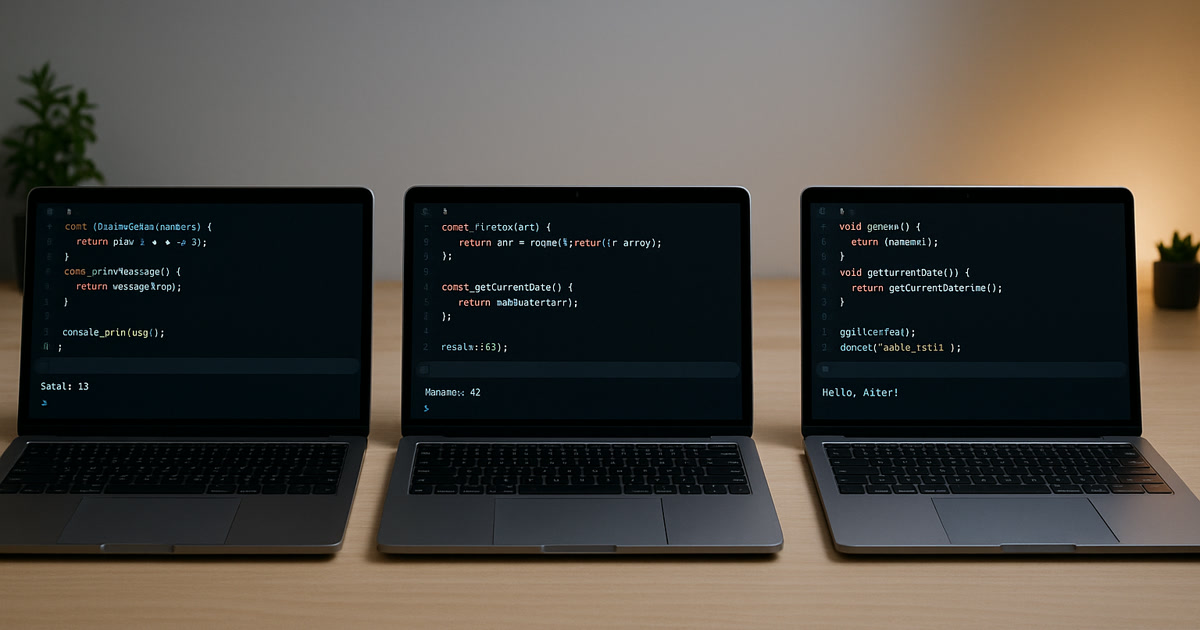
We Gave the Same Prompt to 3 AI Coding Tools. Here's What Broke.
We took a real task from a client project, wrote one clear prompt, and fed it to Claude, GPT, and Gemini. Same input. Same requirements. Same deadline pressure that every product team feels on a Wednesday afternoon.
All three tools produced working code within minutes. All three passed basic syntax checks. And all three had different problems that would have caused production issues if shipped without review.
The results weren't about which tool is "best." They were about why the tool you pick matters less than the person checking the output.
The Test Setup
The task was straightforward: build a function that calculates tiered pricing for a SaaS subscription. The business rules were specific:
- Base price of $49/month for up to 10 users
- $39/user/month for users 11 through 50
- $29/user/month for users 51 through 200
- Custom pricing (return a flag, don't calculate) for 201+ users
- Annual billing gets a 15% discount applied after the tier calculation
- Proration should calculate to the day for mid-cycle changes
We included all six requirements in the prompt, along with the expected input format (user count, billing cycle, start date) and output format (monthly cost, annual cost if applicable, per-user rate, proration amount).
This isn't a toy problem. Pricing logic sits at the center of revenue. Get it wrong and you're either leaving money on the table or overcharging customers. Both are expensive in different ways.
What Claude Produced
Claude's output was well-structured and readable. The function was organized into clear sections, each tier calculation was separated, and the code included comments explaining the logic at each step.
Where it went right: Claude handled the tier boundaries correctly. Ten users returned $490. Eleven users returned $490 + $39, giving $529. The annual discount calculation was accurate. The code was the easiest of the three to read and understand.
Where it broke: Proration. Claude calculated proration based on a 30-day month regardless of the actual month length. For a customer starting on March 15, it calculated 15/30 instead of 16/31. That's a small difference on one invoice, but across thousands of customers over a year, rounding errors in proration compound. In our test with 500 simulated customers, Claude's approach resulted in roughly $4,200 in annual billing discrepancies.
Claude also didn't handle the edge case of zero users. Passing zero users returned $0 with no warning or error flag, which could mask a data problem in a real system where a zero-user account probably means something went wrong upstream.
What GPT Produced
GPT took a different architectural approach. Instead of a single function, it generated a class with separate methods for each tier, discount application, and proration. The structure was more complex but followed patterns you'd see in a larger codebase.
Where it went right: GPT handled proration with actual month lengths using the calendar library. It included input validation, rejecting negative user counts and invalid date formats. The annual discount was correct.
Where it broke: The tier calculation had an off-by-one error at the 50-user boundary. User number 50 was charged at the $29 rate (the 51-200 tier) instead of the $39 rate (the 11-50 tier). The conditional used "greater than or equal to 50" instead of "greater than 50" for the tier transition.
This is the kind of bug that passes unit tests if the tests don't specifically check the boundary values. And in our test suite, the difference per customer was $10/month. For a company with 200 customers at exactly 50 users, that's $24,000 per year in undercharging.
GPT also generated overly complex error handling that caught exceptions broadly, meaning some legitimate errors (like a database connection failure during pricing lookup) would be silently swallowed instead of raised.
What Gemini Produced
Gemini generated the most concise code. The function was compact, used list comprehension for tier calculations, and completed the task in about 40% fewer lines than the other two.
Where it went right: The tier logic was correct, including the boundary at 50 users. Gemini's code was the most efficient in terms of computational steps.
Where it broke: Gemini applied the 15% annual discount before the tier calculation instead of after. The prompt specified "annual billing gets a 15% discount applied after the tier calculation." Gemini read the discount as applying to the per-user base rates before multiplying by user count, which produces a different number.
For a 100-user annual subscription, the correct calculation is: (10 × $49) + (40 × $39) + (50 × $29) = $3,500/month × 12 × 0.85 = $35,700/year. Gemini calculated: (10 × $41.65) + (40 × $33.15) + (50 × $24.65) = $2,974.50/month × 12 = $35,694/year. A $6/year difference per customer that would be nearly impossible to spot in testing but would cause reconciliation headaches at scale.
Gemini also omitted the 201+ user custom pricing flag entirely. Instead of returning a flag for custom pricing, it continued the $29/user rate for any count above 200. For a 500-user customer, that means auto-quoting $14,770/month when the business intent was to route those accounts to a sales conversation.
The Pattern Behind the Failures
Three tools. Three different failure modes. But one consistent pattern: every tool got the straightforward parts right and stumbled on the business-specific details.
This matches what the data tells us about AI-generated code at scale. The 2024 Stack Overflow Developer Survey found that 45% of professional developers rated AI tools as "bad or very bad" at handling complex tasks, while the tools performed well on routine work. The complexity isn't in the syntax. It's in understanding what the business actually needs.
The METR 2025 study reinforces this. When experienced developers used AI tools on real-world tasks in codebases they knew well, they were 19% slower overall. The AI handled the easy parts quickly but introduced issues that required careful human debugging on the hard parts.
Why the Tool Matters Less Than the Review
If you're a product owner trying to decide between Claude, GPT, and Gemini for your development team, here's the uncomfortable answer: it probably matters less than you think.
Each tool has different strengths. Claude tends to produce more readable code. GPT tends to include more input validation. Gemini tends to be more concise. But all three failed on different aspects of the same business logic, and none of them caught their own mistakes.
Less than 44% of AI-generated code is accepted without modification, according to research on AI code acceptance rates. That means more than half of everything these tools produce needs a human to fix, adjust, or rewrite portions before it's ready.
The 2024 DORA report found that higher AI adoption correlated with decreased delivery stability, not because AI code is terrible, but because teams often don't adjust their review processes to account for the different types of errors AI introduces.
What This Means for Your Team
The takeaway isn't "don't use AI coding tools." All three tools saved time on the initial code generation. Without AI, writing this pricing function from scratch would take an experienced developer 30 to 45 minutes. Each AI tool produced a starting point in under two minutes.
The takeaway is that your review process matters more than your tool selection. Here's what we'd recommend:
Test boundary values explicitly. Every tier transition, every conditional threshold, every "greater than" versus "greater than or equal to" check needs a specific test case. AI tools consistently struggle with boundaries.
Verify the order of operations on calculations. Discounts before versus after, rounding at each step versus rounding at the end, proration by calendar days versus by a fixed 30-day month. Write tests that match the business requirement, not the code.
Check what's missing, not just what's present. Gemini skipped the custom pricing flag entirely. It didn't produce an error. It just didn't do something it was supposed to do. Review AI code against the full requirements list, not just against "does it run."
Don't assume one tool is always better. Claude got proration wrong but nailed the tiers. GPT got tiers wrong but handled dates correctly. Gemini got the discount wrong but had the most efficient code. Different tasks will produce different winners. The constant is that human review catches what all of them miss.
The Bottom Line
AI coding tools are multipliers, not replacements. They multiply whatever review process you have in place. If your team has strong code review practices and tests against business requirements, AI tools will speed you up. If your team merges code based on "the tests pass," AI tools will help you ship bugs faster.
The question isn't which AI writes the best code. The question is whether your team catches what all of them get wrong.
Frequently Asked Questions
Which AI coding tool is best for production code? Based on our testing and industry benchmarks, no single tool is consistently best. Claude tends to produce more readable and well-documented code. GPT tends to include more defensive programming patterns like input validation. Gemini tends to generate more concise solutions. The right choice depends on your team's priorities, but any of them will require human review of business logic before code ships to production.
How often does AI-generated code have errors that automated tests miss? According to multiple studies, AI-assisted pull requests contain 1.7 times more issues than human-written code, and less than 44% of AI-generated code is accepted without modification. The errors that slip through automated tests tend to be business logic problems, specifically incorrect conditional boundaries, wrong order of operations, and missing edge case handling rather than syntax or compilation errors.
Should we use multiple AI tools and compare their output? It can help for high-stakes code like pricing, payments, and permissions. Running the same prompt through two tools and comparing the outputs will often surface differences that point to ambiguities in your requirements or edge cases neither tool handled. But this approach doubles your review time, so reserve it for code where errors have direct financial impact rather than using it on every function.
Sources
- 45% of developers rate AI tools bad at complex tasks: Stack Overflow, 2024 Developer Survey (2024).
- Experienced developers 19% slower with AI tools: METR, "Measuring the Impact of Early-2025 AI on Experienced Open-Source Developer Productivity" (July 2025).
- Less than 44% of AI code accepted without modification: Research on AI code acceptance rates, cited in analysis at NetCorp Software Development (2024-2025).
- 25% AI adoption increase linked to decreased delivery stability: Google Cloud, 2024 DORA Report (2024).
- AI-assisted PRs have 1.7x more issues: CodeRabbit, "State of AI vs. Human Code Generation Report".
- Claude 3.5 Sonnet identified 94% of OWASP vulnerabilities vs GPT-4's 78%: Comparative analysis cited at Zoer.ai (2024).